Kapnetix
Kapnetix Post · Robotics data workflows

Kapnetix Post: motion capture cleanup for robotics

Capturing more human motion is only part of building a larger dataset. Processing it takes time. Kapnetix Post helps you assess captured motion, automate supported repairs and focus expert review where it is needed.

For capture providers and robotics teams working with human-motion datasets.
The problem

Keep cleanup from limiting your data pipeline

As your capture volume grows, reviewing and correcting every take by hand can become expensive. The question is how much motion meets your requirements, how quickly it gets there and how much expert time it takes.

Evaluate cleanup against the way your team uses the data, including the motion details your downstream workflow needs to preserve.

Where Kapnetix fits

Between capture and downstream processing

Cleaned human motion still needs the checks required by your robotics pipeline. Cleanup does not replace robot-specific retargeting, simulation or validation.

  1. Stage 1: Capture human movement

    Your capture system and collection process.

    Your team

  2. Stage 2: Diagnose and clean

    Kapnetix Post identifies issues and applies supported repairs within your chosen scope.

    Kapnetix Post

  3. Stage 3: Review and export

    Inspect the result and pass accepted motion to your pipeline.

    Kapnetix Post

  4. Stage 4: Retarget and validate

    Your robotics workflow checks the motion against its target and requirements.

    Your team

What to evaluate

Measure the output your team can use

Accepted data

Measure how much captured motion meets your agreed quality and downstream acceptance criteria.

Review effort

Count the expert time spent inspecting and correcting each accepted hour of motion, including any work that remains after automation.

Turnaround and cost

Compare the full route from captured files to accepted delivery, including processing, export and review.

Agree the acceptance criteria before the pilot. Assess the result on representative data, including difficult takes.

Kapnetix Post workflow

Diagnose. Scope. Clean. Review.

Start by understanding which takes need attention. Choose the work to run, inspect the changes and review the regions that still need expert judgment.

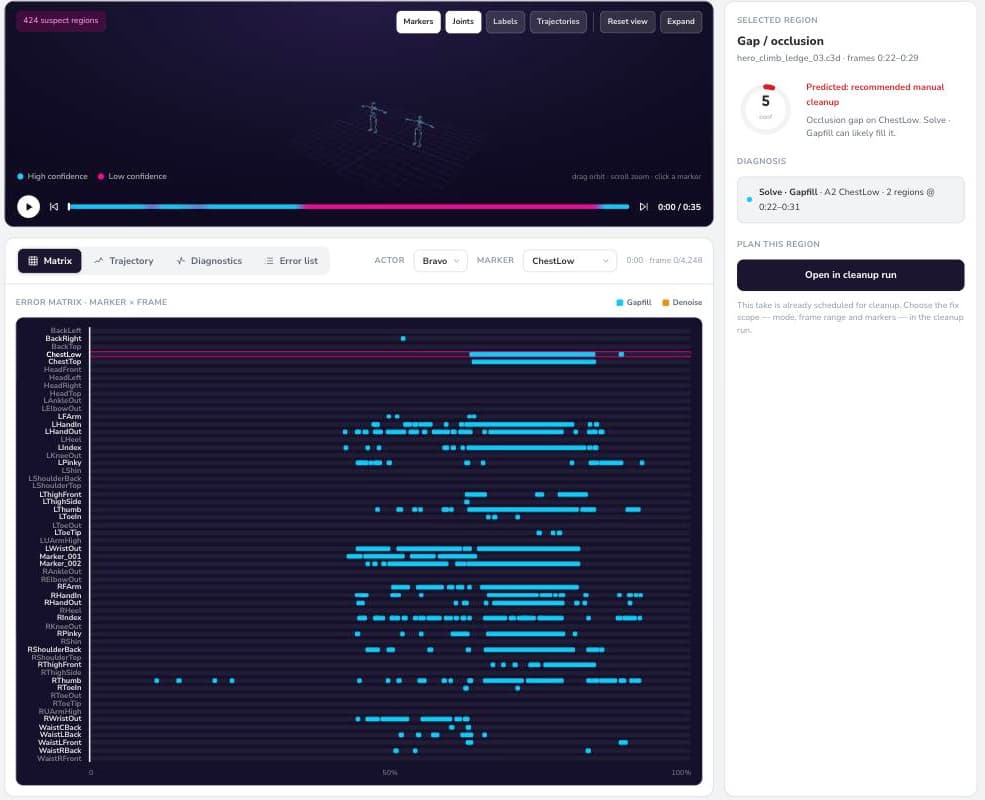
Kapnetix Post product view of diagnosis: a per-region error matrix across named markers on one captured take, with a selected region explained in the rail beside it
Kapnetix Post product view: diagnosis. Each flagged region on a captured take, by marker and frame. This is a product screen, not a robotics benchmark result.
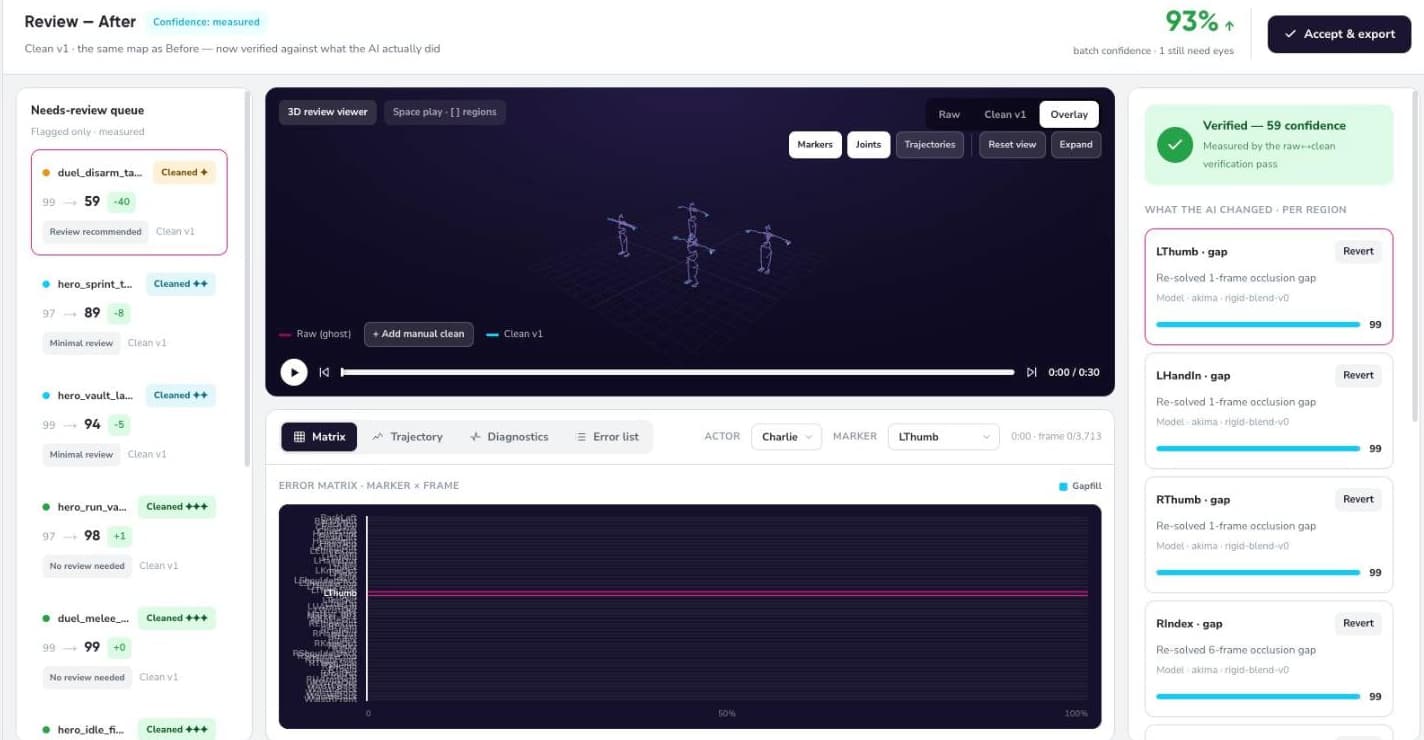
Kapnetix Post product view of review: confidence before and after cleanup, a per-region record of what changed and which model changed it, and a revert control on each region
Kapnetix Post product view: before and after review. Every changed region is listed with the model that changed it and can be reverted. This is a product screen, not a robotics benchmark result.
Pilot

Test the fit on your motion data

Tell us what you capture, which formats you use and what happens to the motion after cleanup. We will assess the fit and agree a pilot scope with your team.

The evaluation compares your current process with Kapnetix Post and the review that remains. You get inspected outputs and a measured view of acceptance, effort and turnaround.

Discuss a robotics data pilot

How a pilot runs

  1. 01Confirm the workflow, input compatibility and acceptance criteria.
  2. 02Evaluate a representative sample under agreed data-handling terms.
  3. 03Review the results and decide whether a larger deployment makes sense.
Questions

What robotics teams ask before a pilot

Does motion capture cleanup make data ready to train a robot?

Cleanup is one stage in the pipeline. Your workflow may still require retargeting, annotations, synchronized sensor data, contact information and simulation checks. The pilot establishes where Kapnetix fits and how you will judge the output.

Who is this for?

Capture providers producing human-motion datasets and robotics teams already processing captured human trajectories. The first step is to check your data and workflow against supported capabilities.

Can we use our existing capture setup?

Start by telling us your capture system, file formats and delivery requirements. We will confirm compatibility before agreeing a pilot. Support for a file format does not by itself establish support for your downstream robotics stack.

How will we measure the result?

Agree a baseline and acceptance criteria with your team. Compare accepted motion, active review time, total turnaround and cost. Include the checks your downstream pipeline already uses.

How do we share sample data?

Contact us first to agree the scope, permitted use and data-handling requirements. Do not send confidential motion files with your initial inquiry.

Next

How much of your capture reaches the next stage?

Bring your current workflow and the requirements your motion data must meet. Start with a discussion about where cleanup could help.

Discuss a robotics data pilot